SUBMIT A SUPPORT REQUEST
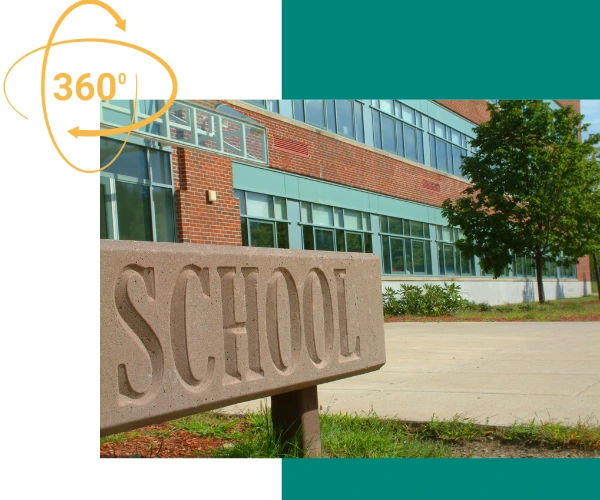
Create Interactive 360° School Tours with Just Your Smartphone
Take panoramic photos on your iPhone or Android, upload them to WordPress, and build clickable virtual tours of your school in minutes.
No technical skills required. No expensive equipment needed.
You don’t need fancy equipment. You don’t need a big budget. You don’t need technical skills.
You need a smartphone and 30 minutes.
AirView makes virtual school tours accessible to every school, regardless of budget or technical expertise.
Start simple. Improve over time. Get professional help when it matters most.
It’s Ridiculously Simple
Step 1
Take Panoramas with Your Phone
Open your iPhone or Android camera, switch to panorama mode, and capture 360° photos of your school spaces. Classrooms, hallways, sports fields, libraries or anywhere you want families to explore.
Step 2
Upload your panoramas to WordPress, add clickable hotspots, and link them together. Create a complete virtual walkthrough of your school in under an hour.
That’s it. Seriously.
Why AirView is Different?
- Works with Your Existing Phone – iPhone panoramas. Android panoramas. Both work perfectly. No need to buy expensive 360° cameras or specialized equipment.
- Point & Click Setup – Click on your panorama to place hotspots. Choose what happens: show information or navigate to another location. It’s as simple as creating a PowerPoint.
- Launch in Minutes, Not Weeks – Walk around your school taking panoramas during lunch break. Have a working virtual tour live on your website by home time.
- Free Plugin, Zero Ongoing Costs – The AirView WordPress plugin is completely free. Use it as much as you want, create unlimited tours, update anytime.
- No Coding Required – If you can manage a WordPress website, you can manage AirView. Everything works through familiar WordPress screens you already know.
How to Get Started
Option 1: Do It Yourself (Free)
- Download AirView – Install our free WordPress plugin
- Take Panoramas – Use your iPhone or Android panorama mode
- Upload – Add them through the WordPress admin panel
- Create Hotspots – Click to place navigation points and information
- Publish – Your interactive tour goes live instantly
Option 2: Professional Service by iTCHYROBOT
Want a panorama of your school from the air? We’ll create a stunning, professionally-shot virtual tour for you.
- Professional DJI drone photography for exterior shots using our qualified pilots
- Expert image stitching and color correction
- Complete setup with initial hotspots and navigation
Our Recommendation
Start DIY to get familiar with AirView, then upgrade key showcase areas with professional photography when budget allows. Best of both worlds.
What you can create
Reception Welcome Tour
Starting from the front entrance, guide new parents through reception, main office, key classrooms, and playground all clickable and navigable.
Department Showcases
Let prospective sixth formers explore your science labs, art studios, or technology workshops with hotspots linking to course information and achievement pages.
Facilities Walkthroughs
- Sports hall
- Playing fields
- Outdoor classroom.
Show connected spaces in context.
Open Day Supplements
Can’t accommodate everyone on site? Offer 24/7 virtual tours that families explore before or after their physical visit.
New Starter Familiarisation
Allow new starters in reception to see their classroom, find the dining hall, and locate toilets before their first day.
Want to know more? Check out our FAQs
Yes! iPhones and Android phones take cylindrical panoramas that work perfectly in AirView. Just take a panorama like you normally would.
Start with 1 but you can easily add key locations later. Most schools build their tours gradually.
Completely free. No hidden costs, no premium tiers, no limitations. Register, download and use.
Absolutely! Many schools use phone panoramas for most areas. When they want to showcase spaces from the air they give us a call.
If you can upload an image to WordPress and click on a photo, you can use AirView. We’ve made it deliberately simple.
Physically walking around taking 10 panoramas: 20 minutes. Uploading and adding basic hotspots: 30 minutes. You can have a working tour in under an
hour.
Yes! Update anytime. Add new panoramas, change hotspot text, redirect links—full control whenever you need it.
Take panoramas during break time, after school, or during holidays when students aren’t present. Complete control over what you photograph.
Curious about how an iTCHYROBOT website could
work for your school?
Talk to the team today!
Call: 01642 688808 or Email schools@itchyrobot.co.uk

SCHOOL WEBSITES
BUT BETTER
We’re a close-knit team of creatives, techies, thinkers and doers – all brought together by a shared passion for helping schools.
iTCHYROBOT was born from the idea that schools deserve better when it comes to their websites. We saw too many schools stuck with clunky platforms, limited choices, or having to jump through hoops just to update a policy.
We started iTCHYROBOT because we wanted to make a difference – not just in how school websites look, but in how they work, how they’re supported, and how they empower staff to feel in control of their online presence.
Find out more about us here
Get in touch
Fill out the form below and a member of the team will be in touch, your information will only be used for this purpose.